Plan the takt for the next year
The takt is the number of minutes between vehicles. A shorter takt gives more departures and capacity, but needs more vehicles.
Start with the problem and the next action
Open a line card and read the advice below Takt. One box explains the problem, the next action, and any restriction.
The completed year identifies the result behind the advice. Click the affected hours to highlight their bar. A location link shows the relevant place.
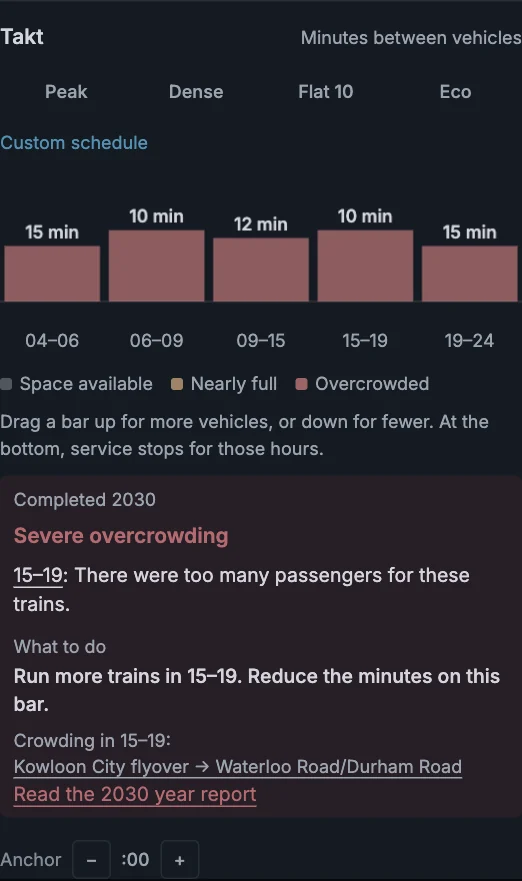
Grey means up to 85% full. Amber means above 85%, up to 100%. Red means above scheduled capacity.
Overcrowding is a load reading. It is not a count of passengers refused boarding.
Change one period at a time
- Find the period named in the advice.
- Drag its bar up to reduce the minutes between vehicles.
- Release the bar and read the planned change.
- Open Finish YEAR and review the service change.
- Finish the year and compare the new result.
The bar keeps its starting value when you pick it up. You can return to that value during the same drag.
Releasing the bar checks and saves the timetable. The map and advice stay stable while you hold it.
If more departures exceed a limit, the previous timetable remains. The explanation states what prevents the change.
A timetable change can finish a year without a construction project. The year-plan card lists the service change.
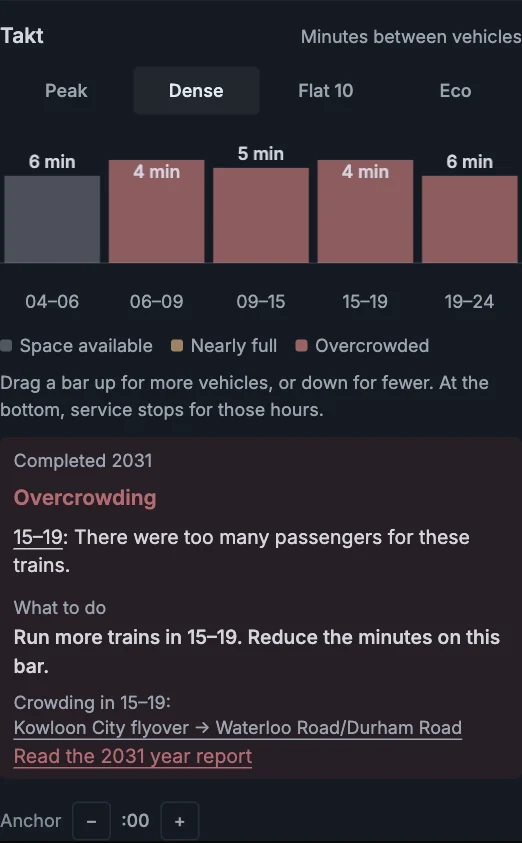
Choose a change that adds useful capacity
| Available action | What to do |
|---|---|
| More departures | Reduce the interval in the affected hours when the timetable permits it. |
| Longer platforms | Extend the shorter platforms when they prevent longer trains or trams. |
| Parallel track | Build separate metro or railway track and move a service onto it. |
| Another route | Serve some of the busy area's passengers through a different route. |
A busy station or shared section can limit departures. The advice explains boarding time, turning time, or the other services using the track.
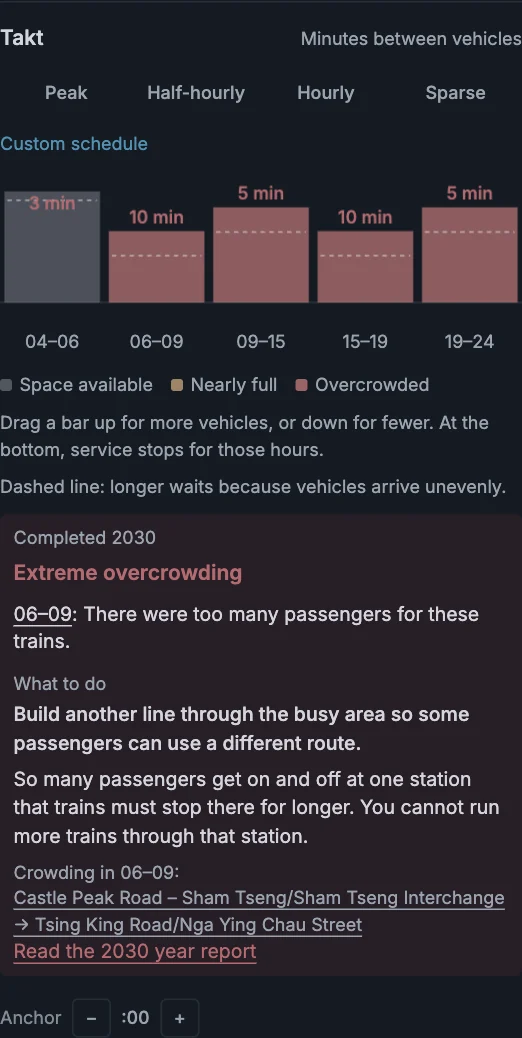
Track capacity follows planned timetables. Reducing departures on one shared service makes room for another after you release its bar.
Hidden services still use track capacity. Open the Track capacity layer to inspect the shared section.
Riders, crowding, satisfaction, and service costs keep the last completed result. A planned improvement is not a measured improvement.
Start with a preset
A preset changes all five periods. Presets use the same capacity checks as dragging.
| Line type | Presets |
|---|---|
| Bus, tram, metro | Peak · Dense · Flat 10 · Eco |
| Railway | Peak · Half-hourly · Hourly · Sparse |
Use the preset as a starting point. Then adjust the periods that need a different service.
Save your own timetable
Give a timetable a name and reuse it on other lines. The saved timetable keeps the minutes between vehicles for all five periods.
- Adjust the bars to the timetable you want.
- Click Save beside the preset buttons above the chart.
- Enter a name, then click Save in the open menu.
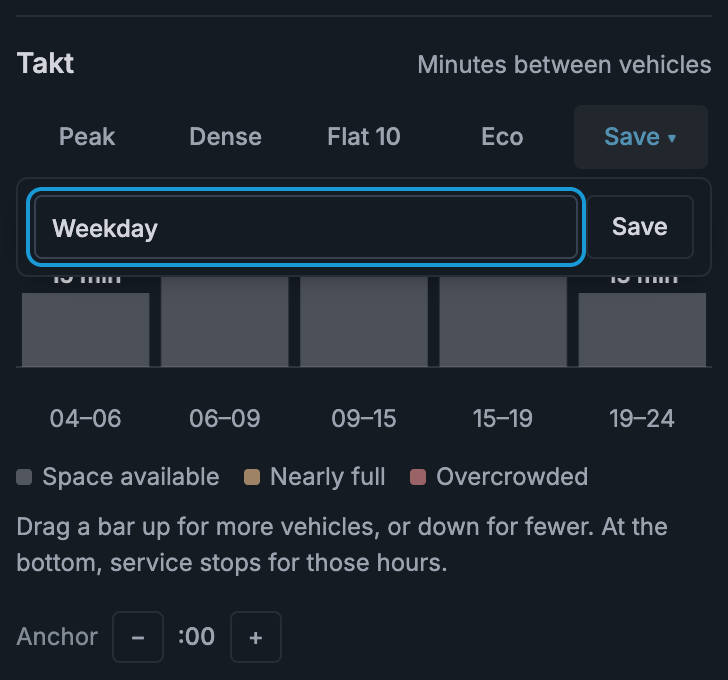
The button shows the saved name while the line uses that timetable. If the bars match a built-in preset, change a bar before saving your own.
Use a saved timetable on another line
- Open the other line's Takt controls.
- Click Saved, Save, or the saved name beside the presets.
- Click the timetable you want in the menu.
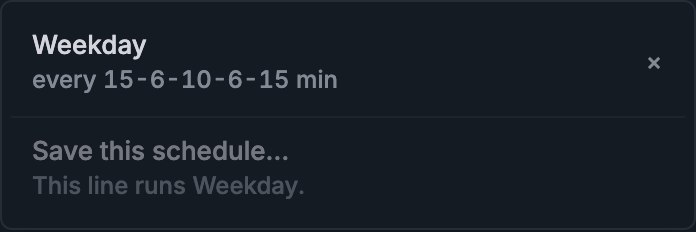
Applying a saved timetable uses the same capacity checks as dragging the bars. Review any refusal beside the chart.
Saved timetables are available across games and cities in this browser. Railways have their own list; buses, trams, and metros share another.
You can keep six timetables in each list. Names can contain up to 24 characters.
Each line gets its own copy. Changing that line later, replacing a saved timetable, or removing one with × does not change other lines.
The named list stays in this browser. A game file or share keeps each line's timetable, but does not carry your list of named presets.
Close a quiet period
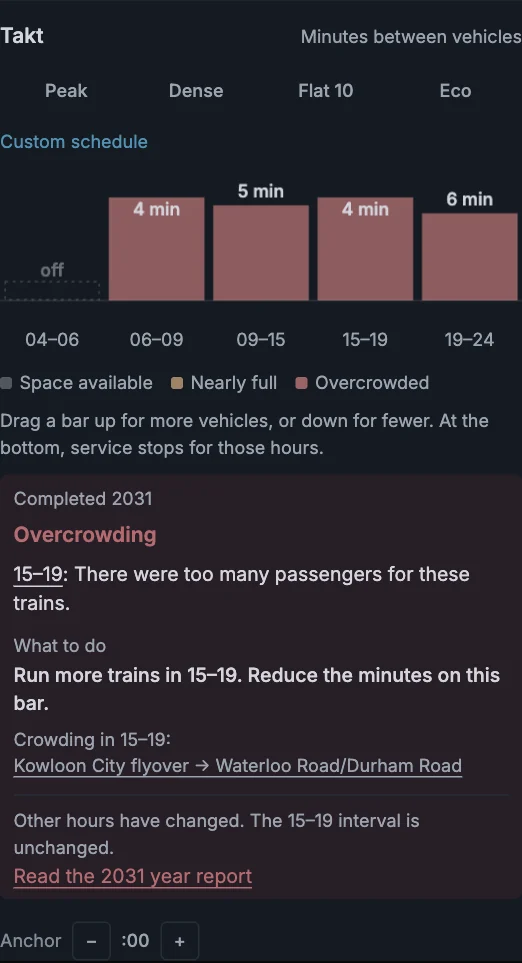
Drag a bar all the way down to switch that period off. No vehicles run then. A takt of 0 means the same thing.
Read the detailed finding
Open the dated Year report from the advice. It records the affected hours and measured busy section when that evidence exists.
A report does not infer a station from incomplete older results. Use its available links to return to the line or map.
To inspect a busy connection, use Station transfers. The card separates walking, waiting, and each transfer direction.
Two services can share track with different timetables and station calls. They still share that track's capacity.