Earn money from city requests
City requests give you a building goal and money for meeting it. This money is called a grant.
Choose a request
- Click the money at the top of the screen and open Capital & funding.
- Choose a card under Jobs, Homes, or Towns.
- Read its target and grant amount, then click Show on map.
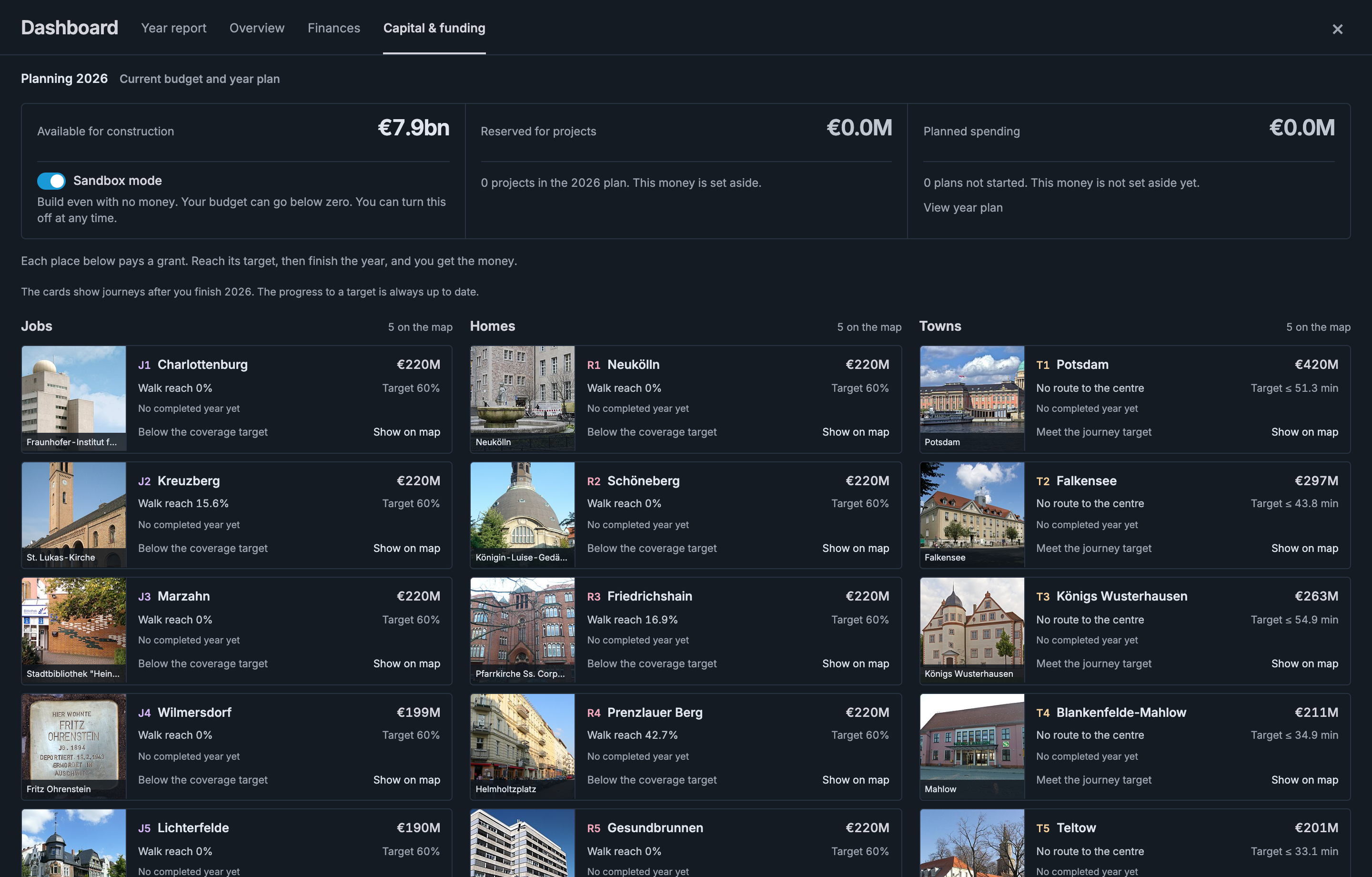
| Map mark | Place | Your goal |
|---|---|---|
| R | Homes | Put residents within walking distance of stops. |
| J | Jobs | Put jobs within walking distance of stops. |
| T | Town | Provide a trip to Centre within the time limit. |
The numbers show the suggested order. You can choose any request.
You can also turn on City requests in the map layers and hover over a marked place.
Serve homes or jobs
For a Homes request, at least 60% of residents must be able to walk to a stop. Jobs requests use the same target for jobs.
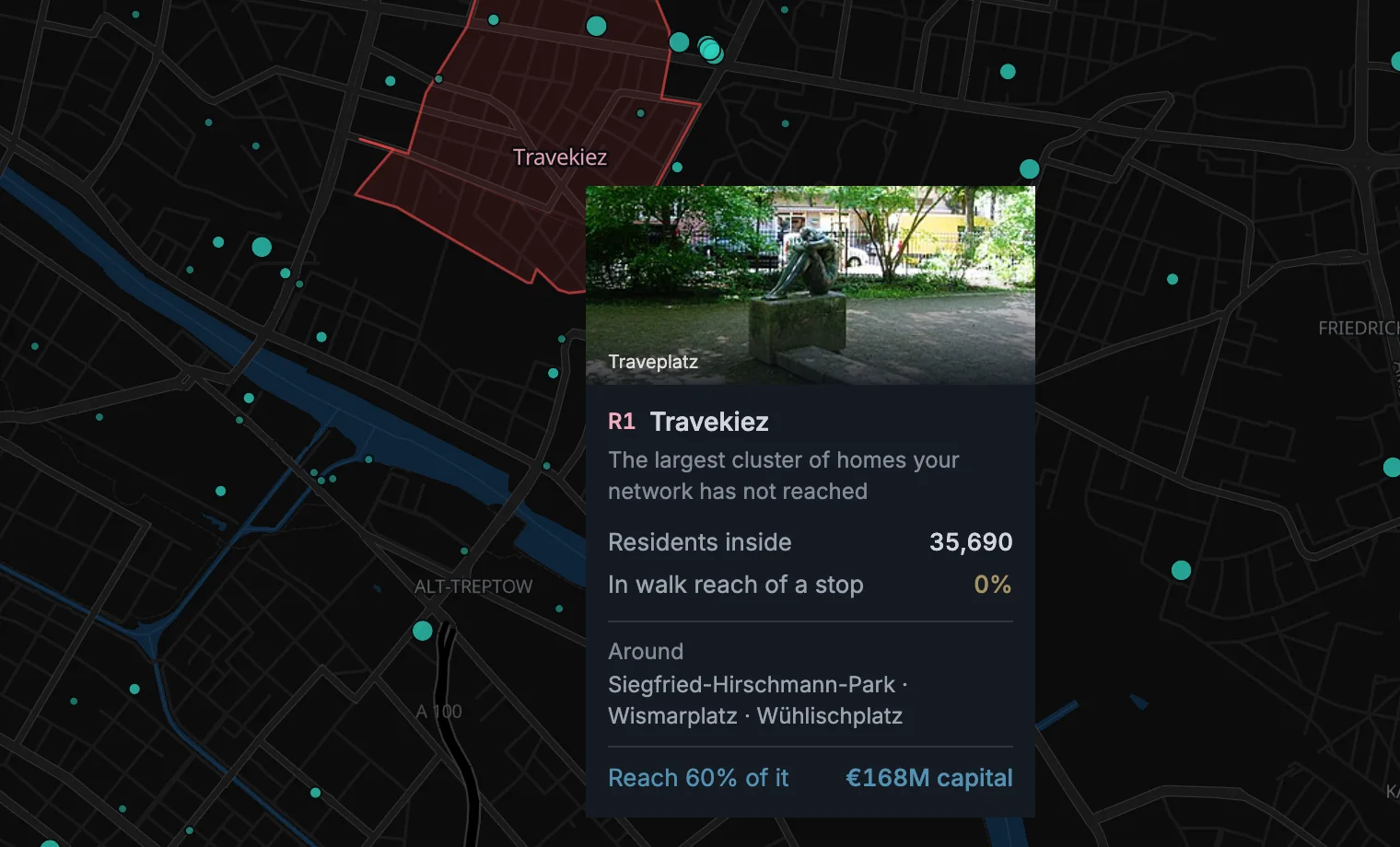
- Spread your stops across the area. One stop in the middle may not reach enough people.
- Use several lines if needed. Their stops count together.
- Run a service through the stops. Unbuilt stops and waypoints do not count.
This target measures walking distance to your stops. The number of people who ride does not decide this grant.
Why has a district not earned its grant?
- Check the coverage. A value below 60% does not meet the target.
- Check the district size. It needs at least 3,000 residents or jobs to qualify.
- Check street access. Enough of the district must be reachable on foot.
- Check for a required town. Some districts need that town connected first.
Open All funding details in Capital & funding to see the reason for each district.
The five suggestions are starting points. Other eligible districts can earn grants too.
Connect a town
Give the town a trip to Centre within its time limit. Read the target on its card before choosing a route.
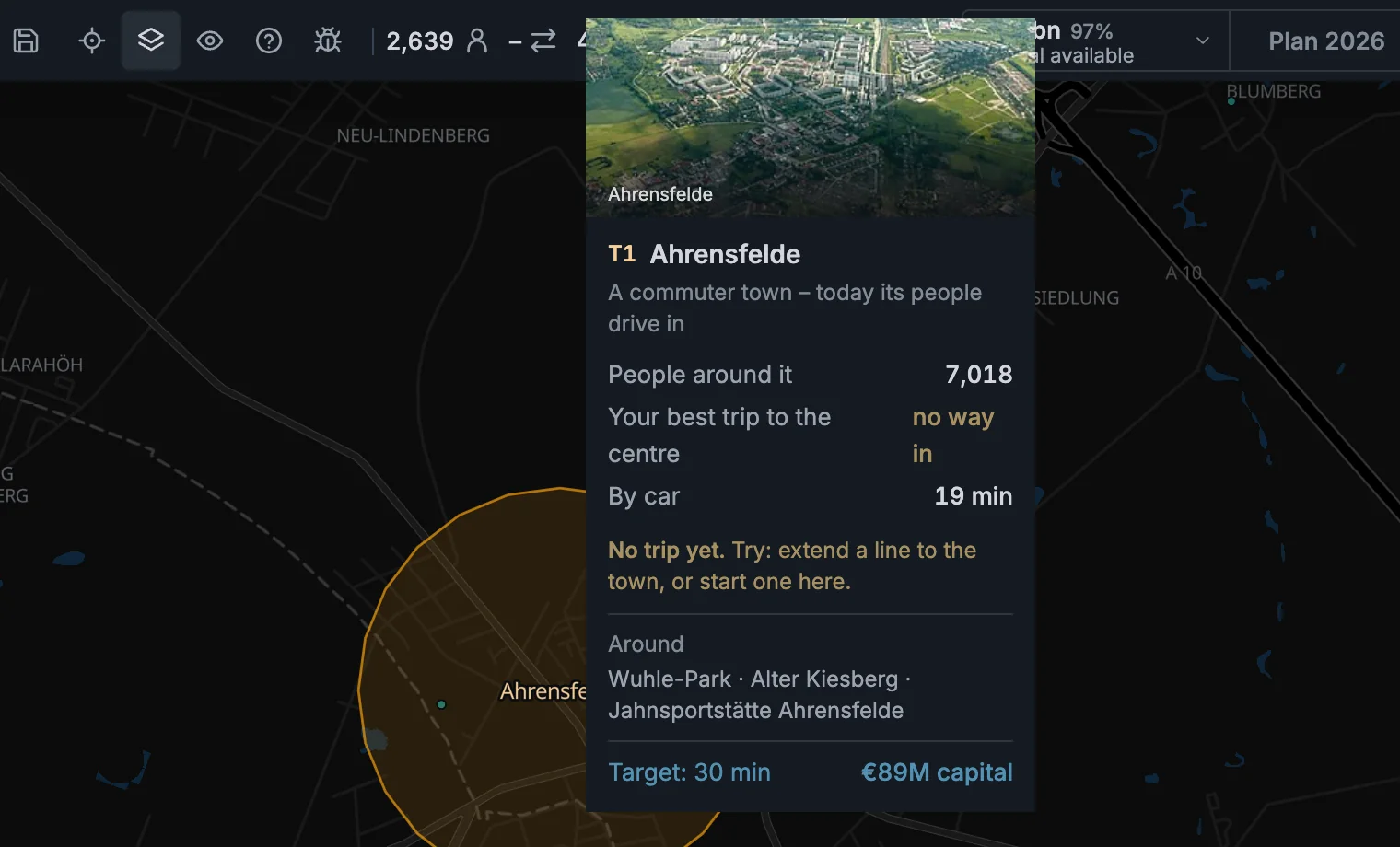
- Use a direct line or a trip with one change of line.
- Keep the whole trip short, including walking, waiting, and changing lines.
- Open the town card to see the trip drawn on the map.
How does the town target work?
The time limit is 1.6 times the car trip. Use the target shown on the card.
The game suggests nearby towns first. More towns appear as you connect them.
Connecting a town can also unlock grants for its districts. Each district still needs its own walking coverage.
If the trip is too slow
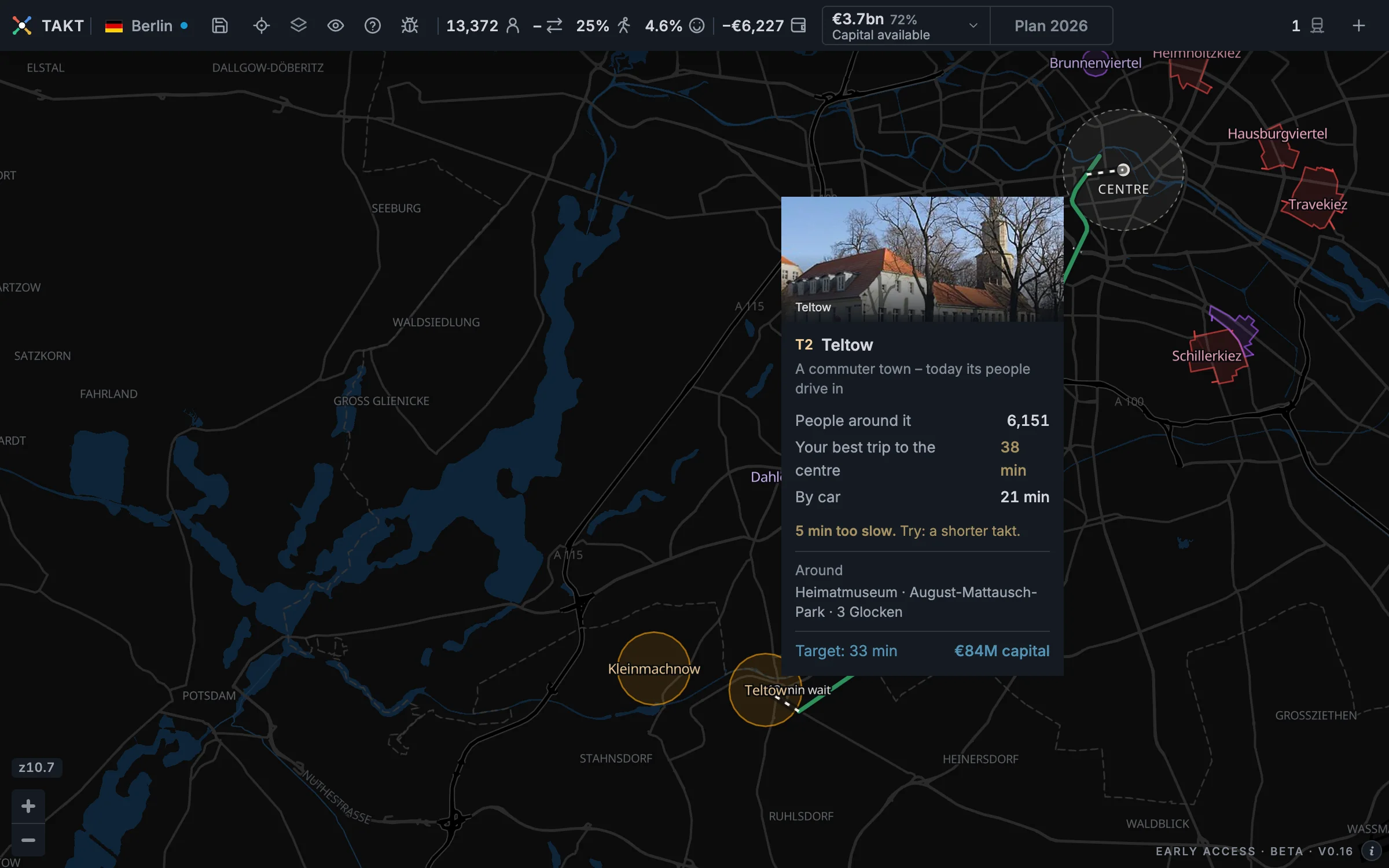
The town card shows where the trip loses time. Use it to choose what to change. The trip is the morning trip, from 06 to 09.
- Long wait: run the line more often.
- Long walk: move a stop closer or add a connecting line.
- Slow ride: shorten the route or use a faster service.
- A direct line does not run 06–09: switch that period on. The card names the line.
Finish the year to receive the money
- Add your construction or service changes to the year plan.
- Finish the year.
- Open Capital & funding to check the grant and your available money.
The city pays when the finished year's network meets the target.
Construction can take more than one year. Only open stops with a running service count towards a grant.
Keep meeting the target in later years. If you stop meeting it, the city takes the grant back at year end.
Grant at risk means you need to restore the service before finishing the year.
Earn extra money as your network grows
You also earn permanent awards for carrying more of the city's trips and connecting more towns.
These awards pay once, and you keep the money. Use the standard fare to qualify.
Where can I check these awards?
Open All funding details for the targets and amounts. Payment history shows money you have already received.
The standard fare starts at €0.60 per trip. It adds €0.12 per kilometre.
Town awards become available after you receive the award for carrying 4% of city trips.
What does a district's outline show?
The outline marks the district or town. It does not show how far passengers can walk to your stops.
Berlin, Amsterdam, and Hong Kong use official boundaries. These stay in the same place as your network changes.
Homes and Jobs can share an area, but have separate targets and grants.
Use Demand streets to find jobs inside the area.