Keep, move, and share a game
Takt saves your current city in this browser. Use a named save for a version, a game file for a portable copy, or a share for other people.
Choose the right kind of copy
| Continue where you stopped | Automatic browser save |
|---|---|
| Keep several versions in this browser | Saved game |
| Make a backup or move the game | .takt game file |
| Send a playable copy to someone | Share link |
No account is needed for any of these actions.
Your current city saves automatically
Takt saves changes in this browser. Check any save warning before closing the tab.
Each city has its own current game. Playing Amsterdam does not change Berlin.
The automatic save is not a cloud backup. It is unavailable in another browser, on another computer, or after you clear the site's data.
Use a .takt game file when you need a copy outside this browser.
If a saved game fails to open, Takt protects it from being overwritten by automatic saving. Read the loading warning before continuing.
Protect edits when browser saving fails
A persistent warning explains when Takt cannot save. If a portable copy is available, the warning offers Download game file.
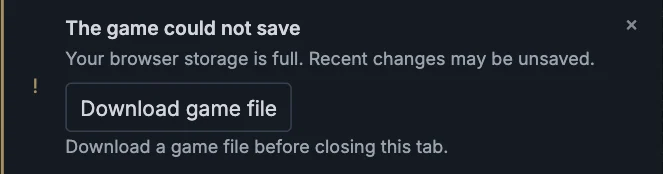
Keep the tab open until you have the copy. A warning without a download action does not confirm that an export is available.
Keep a version in this browser
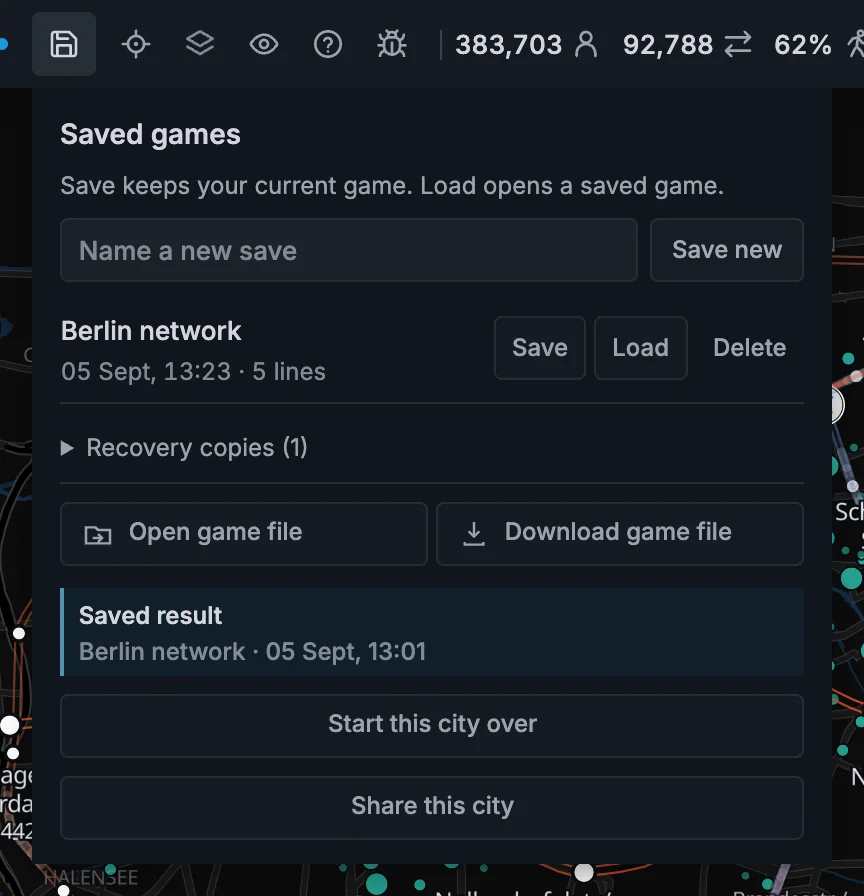
A saved game keeps one version of this city in the current browser.
- Press the save icon in the top bar to open Saved games.
- Enter a name, or leave the field empty for an automatic name.
- Press Save new.
To update an existing saved game, press Save beside its name. Its previous version moves into Recovery copies.
To delete a saved game, press its Delete button, then Delete? to confirm.
Save, load, and game-file messages appear inside Saved games, beside the controls you used.
Load a saved game
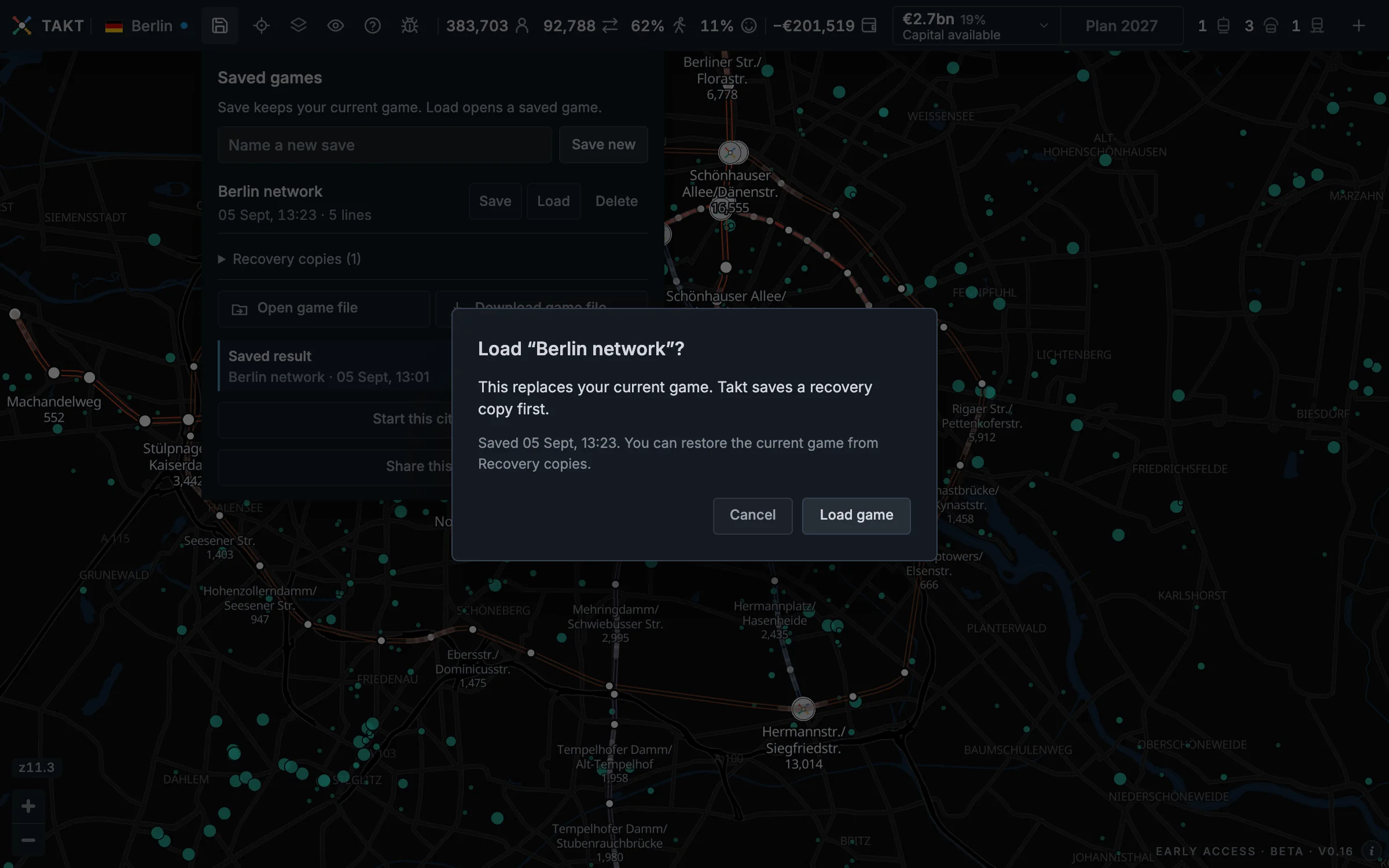
- Open Saved games.
- Press Load beside the game you want.
- Read the confirmation, then press Load game.
Loading replaces the current game. Takt saves a recovery copy first. Press Cancel to keep playing the current game.
If the recovery copy cannot be saved, loading stops and the current game stays in place.
Download a portable game file
A .takt game file keeps the editable network and its last exact result. Store it as a backup or open it in another browser.
- Finish at least one year.
- Open Saved games.
- Enter a name if you want the file to use it.
- Press Download game file.
The downloaded file has a .takt ending. Keep this ending when you rename the file.
New game files are compressed to keep downloads smaller. Open the .takt file directly in Takt; you do not need to unpack it.
Takt can still open supported older, uncompressed game files.
The file keeps the current plan, construction projects, closed-year history, and the last exact operational result.
It also keeps Sandbox mode and each line's timetable. Your separate list of named timetables stays in the browser.
An older game can hold built track with no line. Takt removes that track when the game opens, and tells you. What it cost stays spent.
Demolished gaps remain gaps when you reopen the game. New year records retain their crowding findings and scoring rule.
Recorded Dashboard line totals and district walking coverage travel with the saved game. Older years without line totals remain labelled as unavailable.
Open a game file
- Open the city that the file contains.
- Open Saved games.
- Press Open game file and select the file.
- Read the confirmation, then press Load game.
The saved result appears immediately. Its name and calculation time show below the game-file buttons.
Saved result means the numbers come from the last closed year in the file.
Planning changes do not run the rider model. The saved exact result stays official until you finish the next year.
Takt checks the city, the city data, and the result before it opens the file. A rejected file does not replace your current game.
Continue Amsterdam on the updated map
An existing supported Amsterdam game keeps its network and progress through a map update. Station locations, service settings, plans, capital, the current year, and recorded years remain.
The updated map restores missing tram connections, bus roads, and station approaches. Your next completed year measures the updated routes.
A saved result from the previous map stays visible as history. A message beside the network figures explains which map it uses.
Press Finish YEAR to record a result for the updated map. This first map update needs no construction project.
Finishing still closes one year and applies that year's income, costs, and city decisions. Opening the old game alone does not advance the year.
Named saves and share links can need a calculation when opened. That calculation leaves the year and money unchanged.
If the saved result has no recorded map version, finish a year before downloading a game file. The network remains editable.
Takt keeps a way back
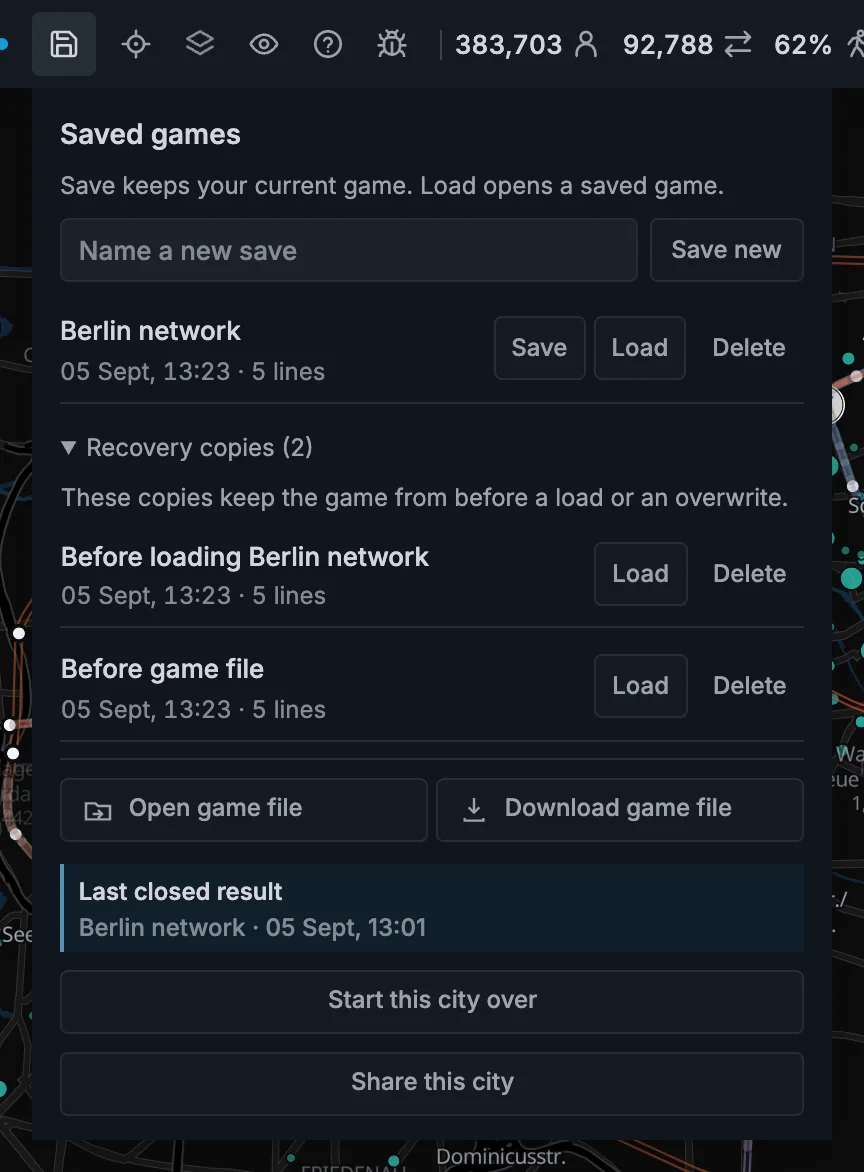
Open Recovery copies in Saved games to restore an earlier version. Each copy has its own Load button.
- Before loading keeps the current game before you load a saved game.
- Before overwriting keeps the previous version when you save over a saved game.
- Before game file keeps the current game before a game file replaces it.
Takt also keeps named Before restart and Before share link saves. Find these in the main saved-game list.
Share this city
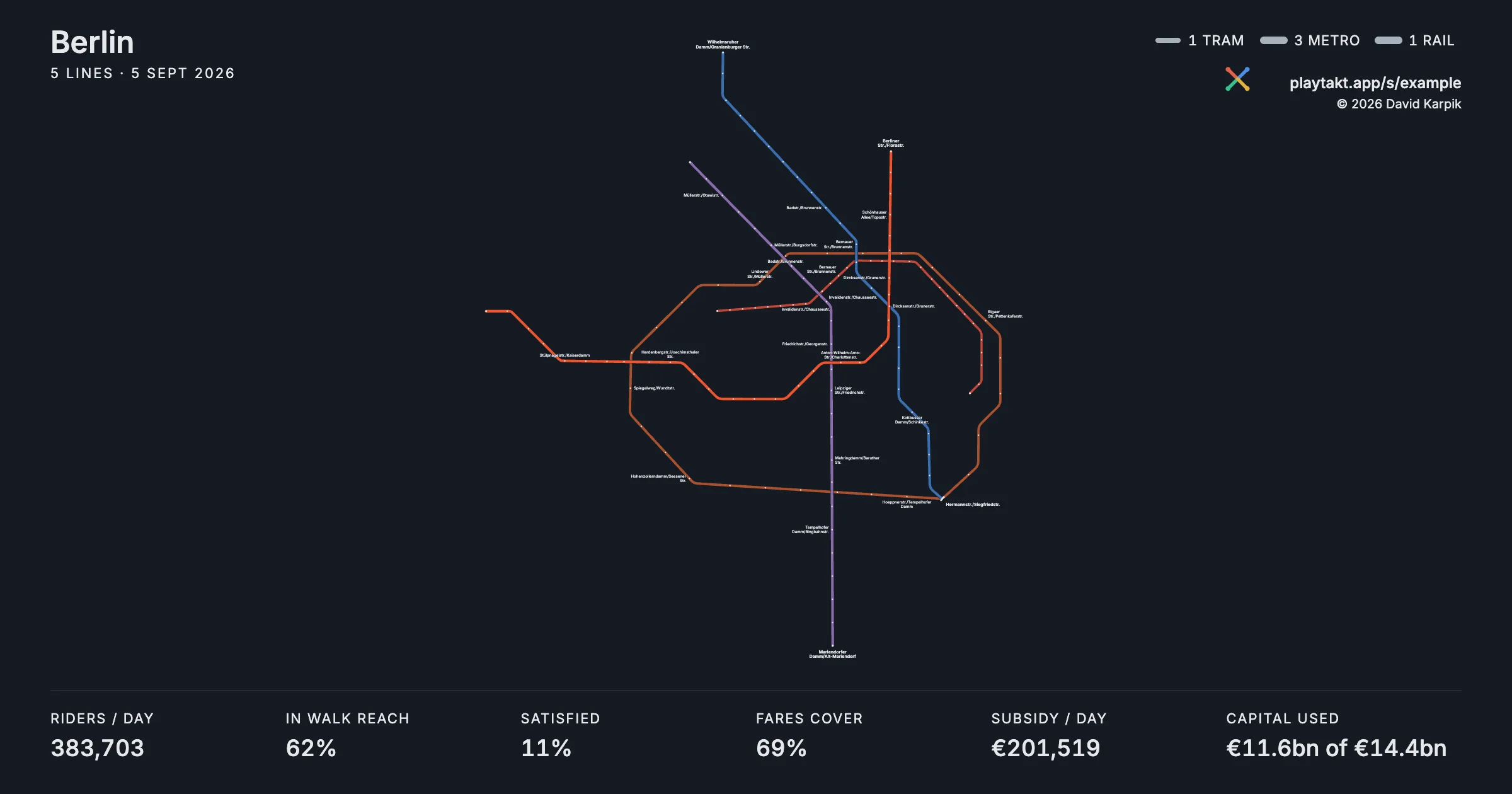
A share is for other people. A saved game or game file is for you.
Share this city creates a card, a short link, and a printable network map.
Anyone who opens the link gets a copy in their own game. Their changes never affect your game.
Shares are compressed during upload and can contain a saved network up to 50 MiB before compression.
Share messages appear beside the share action. Check the result before copying or sending the link.
A share link is not your personal backup. Download a game file when you need a portable copy of the complete game.
Start this city over
Start this city over removes the network and restores the city's starting capital.
Takt first makes a Before restart saved game. Your other saved games and downloaded files stay unchanged.