Connect distant centres with railway
A railway joins suburbs, towns, and major city centres over long distances. It carries 1,000 riders and reaches farther than a metro, but close stations waste its speed.
Choose one long corridor
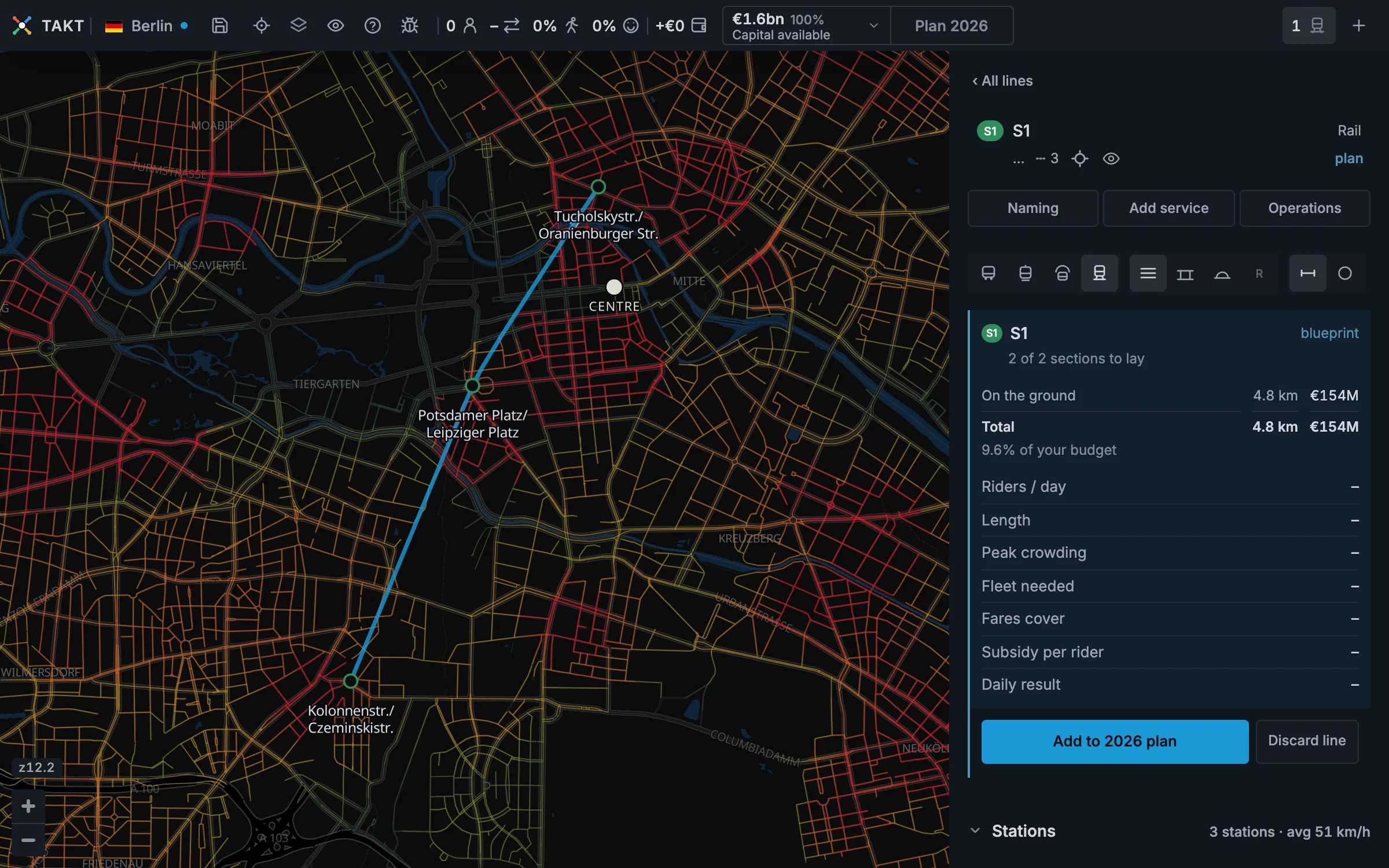
Look for demand that continues across several districts. A railway should connect a few strong centres, not stop in every neighbourhood.
- Press + and choose Rail.
- Place the first station at one important centre.
- Place the next station at another distant centre.
- Keep about 2 to 5 kilometres between stations.
Read the next station
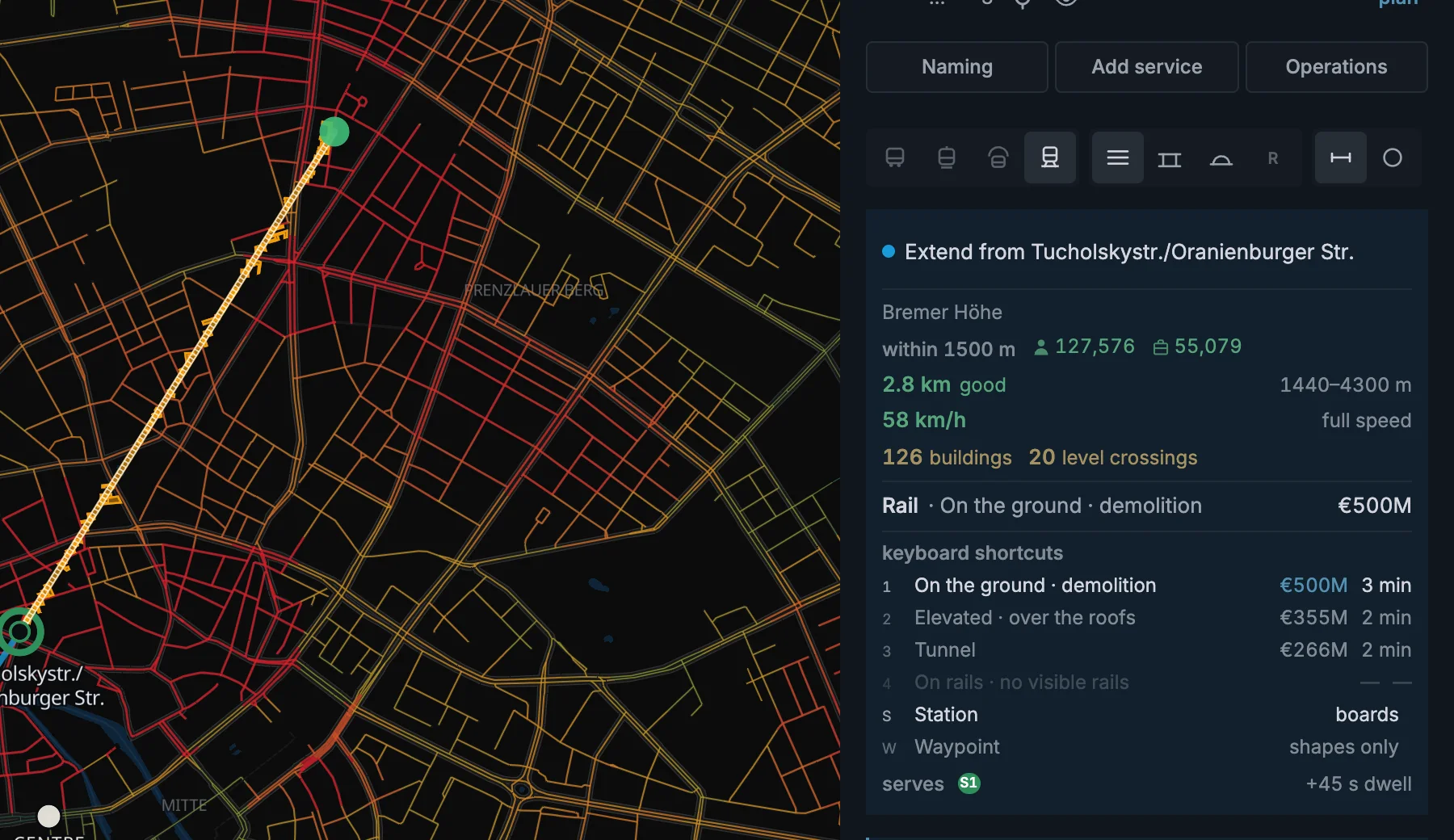
A railway station goes exactly where you click. Zoom in when you want to place it precisely.
The spacing verdict changes from too close to tight, good, wide, and too far. Close stations slow the train. Wide gaps leave centres outside its reach.
Shape wide curves with waypoints
Railway trains need even wider curves than metros. If a bend is too sharp, Takt will not let you build it.
Press W to place a waypoint and shape the track without adding a station. Press S to place stations again. Right click a waypoint to remove it.
A waypoint is a handle. It has no platform and no riders. The metro guide shows the complete action in two images.
A railway needs a curve radius of at least 150 metres.
Read the wider station reach
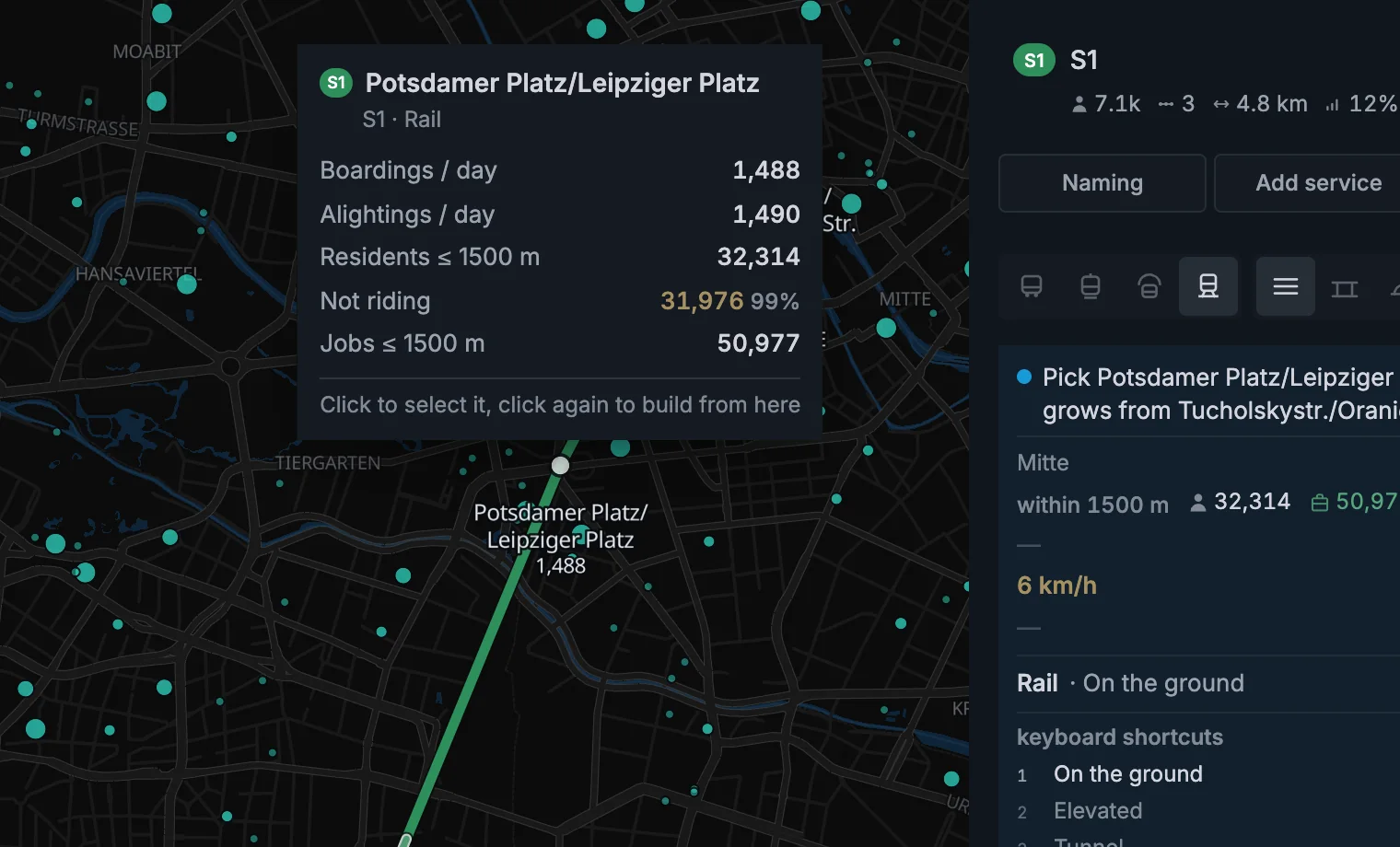
People will travel up to 1,500 m to reach a railway station, compared with 800 m for a metro. That makes rail especially useful for suburbs and longer-distance corridors.
Choose where the track goes
Choose ground-level track, an elevated viaduct, or a tunnel before you build each section.
| Track | Speed | Build cost | What it means |
|---|---|---|---|
| On the ground | 58 km/h | €22M/km | Street-level track with level crossings |
| Elevated | 78 km/h | €48M/km | Viaduct above the streets |
| Tunnel | 78 km/h | €95M/km | Runs underneath everything |
Reuse track for a branch
A railway can use another railway's track and branch off it. Show the other line on the map before connecting to it.
Draw your line to a station of another railway. Use existing track switches on by itself. Click the other railway's next station, and your line runs on the same track. Keep clicking station after station.
Want your own track? Click anywhere else. Press 1, 2 or 3 to choose ground, elevated track, or tunnel for it.
A connection needs room for its curve. Takt can bend planned track into the source or add a connecting curve after a built approach. Read its preview and cost before clicking.
A shared section can follow the source railway through changes of level. Your connection must still meet the track's level and curve rules.
If a click does not work, the build tip says why. The metro guide explains the restrictions and what to do.
Does your line already end on another railway's station? Click that end station, then press 4 or click Use existing track.
The existing track glows in your line's colour during the preview. The glow stays after placement while the shared section is planned.
Shared track pays no second track construction charge. New stations and platforms can still cost money.
To change a planned section to shared track, click its R button in the stations table. Choose the source stations and check the movements. Click Apply to plan to make the change. One undo restores it.
Use the eye in the line list to show hidden track. The metro guide shows the glow on a shared section.
Add capacity or change built track
Parallel track adds separate track beside a busy railway. Remaining shared sections can still limit departures.
The planned-section R control selects shared track. It does not build the separate track created by the parallel-track tool.
Use Demolish section to remove and rebuild built track. Use longer platforms when short platforms limit train length.
Read Takt advice before choosing the change. The Speed layer shows where the line loses speed.
Railway or metro?
Use a metro when you need frequent stops through a dense part of the city. Use a railway when the stops are far apart and the journeys are longer.
Railway stations reach further and trains carry more people, but the service costs more to run and cannot run as often.
Dense stops in the centre want a metro. A long run through the suburbs wants a railway.
Read the experiment
Add the line to this year's plan, then finish the year. The line opens and the exact model measures the corridor, stations, and track choice.
If the train fills, shorten the takt or lengthen its platforms. If demand is weak, test fewer stations or a shorter first section.
Railway facts
| Railway station | €35M |
|---|---|
| Platform | 140 m |
| Capacity | 1,000 riders |
| Walk reach | 1,500 m |
| Fastest service | Every 4 min |
| Running cost | About €5,200/day per train + €22/km |